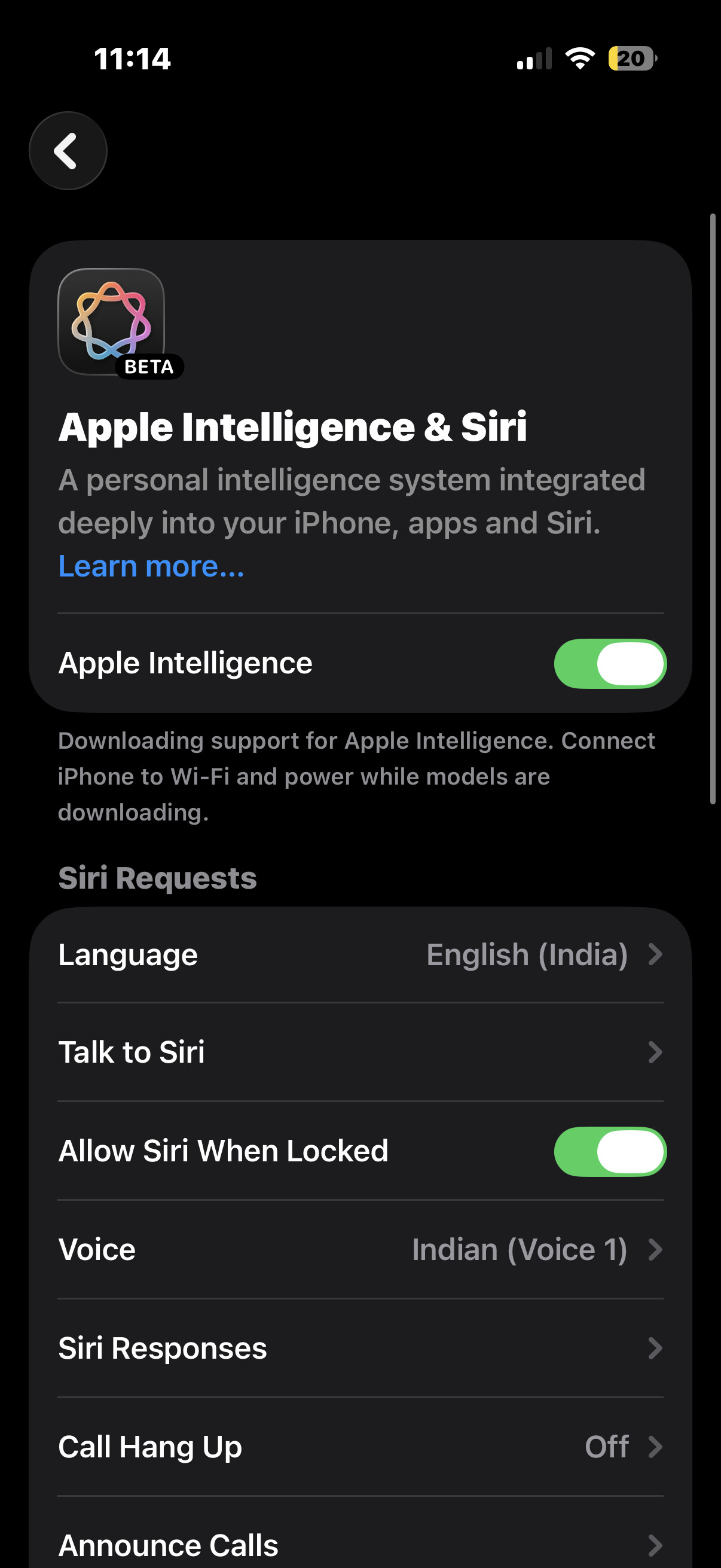
Its been an year since I bought my 16pro, initially I used AI but after some update it went away for no reason and that point in time I dont had wifi so I couldnt able to download it and after some months i got wifi and still it is not downloading. I tried every possible way like keeping in power and wifi for whole night or resetting the network. Siri language and system language were same
Whats the solution for it and how can i download that
hi bro, this seems to be power related issue. connect and leave the iPhone in charging for 1 or 2 hours. dont disconnect even after it goes above 80% level. is it wifi router or mobile hotspot connected??
Jio Wifi or Airtel Wifi setup router correct?
It is jio wifi not from hotspot. I did that multiple times almost everytime. Whenever i plug my phone in charger i never turn off wifi and i pit the charge till 100%. Still it is not downloading
Once perform “settings - general - reset - reset all settings” bro. then go to settings - general - background app refresh and keep the toggle ON for 2 days or till the apple intelligence files download getting completed. restart iPhone once and normally use it. next time you charge the device it should be able to download in the background automatically.
make sure apple intelligence and siri also ON after all settings reset.
device settings - general - location & region should be set to India and siri language should be set to india.
I tried robin and its been 3 days since I did everything you said but still AI is not activated.
This is so strange bro. I have tried to turn off and then again turned on download apple intelligence files in my 16 pro max without issues. issue seems to be specific to your device. as you have tried all settings reset, then taking full backup of iPhone and performing iOS Restore is recommended. then restoring backup will get all our files back.
Is the device under warranty by any chance? if yes we can take it to apple service center so the technician will do it for us.
Yes it is under warranty but right now the place im in didnt have apple centre. Is there any way I can contact them through a call
apple support can be reached bro, but this needs inspection by a technician personally to identify the issue. as you have tried other troubleshooting steps already. normally all settings reset itself sufficient to clear out any issues and fix this type of bugs.
have you updated to iOS 26.3 and checked?
Yup my device is on ios 26.3. I called the customer care and they told me to reset the device they tried every possible and and finally they said resetting the device is the only option so that when I open my iphone again it will start as a new device and it can download from there
Update: it worked after resetting my iphone. Btw thank you Robin
1 Like
Good to know issue resolved bro. did you perform all settings reset or iOS Restore?
I performed all setting reset and before doing that i backed up my iphone into my mac and once i reset my iphone I transferred everything back to my iphone and within some hours the AI is downloaded
1 Like