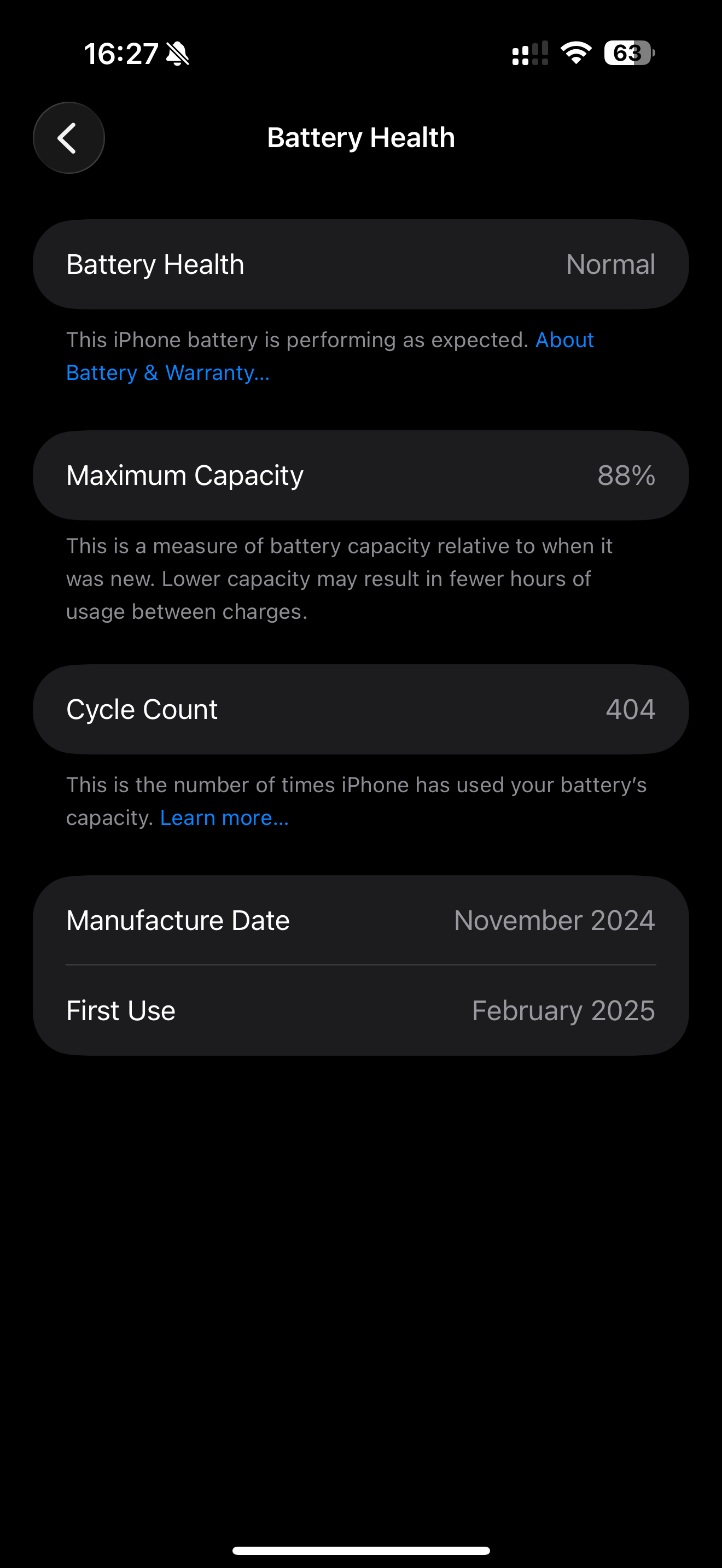
392 la 88 la irunthutu ippoo 404 la 88 aakitu sudden kuranjitu 91 la irunthu 90 89 88 quick a decrease aakitu enna proplem
hi bro, namma battery health video la solliruntha mathiri month of first use la irunthu calculate pannunga. 17 months usage 12% reduce normal thaanga. software update pannumbothu ethavathu bug iruntha refresh aagama iruntha correct battery health show aagumnga. mathapadi no issues. charging practice continue va follow pannikonga. so upcoming months la gradual la reduce aagumnga.

- My iPhone 14 Plus has 92% battery health.
- Overnight, the battery drains by 5% to 6%.
- Every hour, 2% to 3% is dropping during idle time.
- There are no Home Screen & Lock Screen widgets or live wallpapers, but it is still draining.
- In the morning when I check Battery Usage, it shows that Home and Lock Screen are consuming
- Current IOS is 26.5.2
that looks totally normal bro. you can update to latest 26.6.1 update released yesterday too. overnight drain, hourly drain due to normal system services, cellular data usage in the background. apps notifications check, all sounds normal. you will see 1 day backup for normal usage and end of the day you will see 20% to 30% battery left.
So next day you can charge to 80 or 100 and start using it.
Most of the settings are turn off
Siri voice assistant turn off
Background refreshing turn off
There’s no any wedges on home and lockscreen
I can purchased on Amazon second hand phone 2022 model and eSIM version model
I am android user recently switch to iPhone last 5 months
As long as the sim is present and phone is ON it does consume some percentage bro. If no sim present then we see very less consumption. Network usage consumes higher amount always.
we can use the phone normally by charging once a day whenever it reaches 20% bro.
Dont have to be too strict with the services as the phone is new and has good battery health.
it takes 2.5 years approximately time to reach 80% level and then we change battery. When we have normal usage.
Thank you for your response
1 Like